Building Plugins
Since the days of using Sketch I've always loved the ability to extend software through a simple plugin interface (don't get me started on the Adobe extension ecosystem). Back then I developed 1 or 2 Sketch plugins to do some repetitive templating but nothing special.
I'd been using Figma for over a year before discovering you could manipulate files directly using the console and from there I started writing scripts, building single run plugins and eventually building more complex UI based plugins. The vast majority of the plugins I've built for personal or internal use, mainly because I haven't had the time to make them reliably bug free. That said I have published a handful.
Here's a somewhat chronological history of plugins I've built.
Pictogram Tools
Part of our design system is a library of illustrations that come in a variety of different colourways as well as light and dark mode variants. These also needed to be exported at variety of sizes and formats in specific folder structures. So the first plugin I built did 3 things:
- Given a base pictogram it would generate all the different colourways as a component set
- It would allow you to generate a page with all the files names and prepped for export
- It also had a labelling component for documenting pictograms in a separate inventory
Oracle Linter
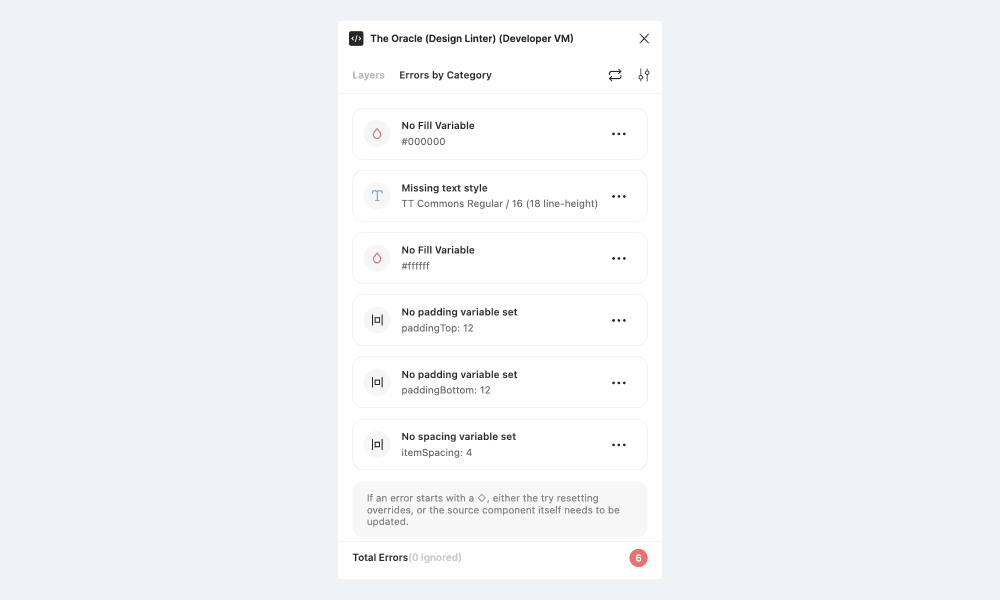
This was fork of the Design Lint plugin by Daniel Destefanis from Discord. The plugin allowed you to set linting rules for each layer type, eg text layers can only use contentDefault colour tokens. I added a bunch of different linting rules and dipped my toes into React/Webpack
Toolbox
With Toolbox I discovered you can use the quick actions (⌘ + P) dialog to get input from users and make simple plugin interfaces with them. I also thought it would be a good idea to combine all my simple plugins into a sort of super plugin. After a while it started to get too complex so I stopped doing it. These are the features:
- List Components - Provides a list of all the components in the current document with the option to exclude variants
- Scale Text - Scales all text in a section recursively by a factor (removes text styles)
- Variants Stats - Shows stats about the selected instance of how many combinations are missing
- Help - Display a help window explaining each function
- Properties List - Displays a panel showing what properties the selected component/component_set/instance has
- Extract All Text - Displays a panel with all the text extracted to separate lines
- ⭐️ Node Traversal - Select next and previous sibling (setup a mac shortcut to make this super useful)
- Randomise Properties - Use the quick action to randomise all the properties of a component or select a specific property to randomise
- Remove Text Styles from all selected layers
- Change Font Size Change font size of local text style
- Populate Data - Quick action to fill text layers with different types of content. Can also be run recursively
- Auto Layout All - Adds an auto layout to each selected item (as opposed to adding all selected items to a single auto layout). Implementation isn't very smart, just does some default values.
- Nest Auto Layout - Takes the selected auto layout(s) layers and creates a child layer with the same properties while removing them from the parent
- Groups to Frames - Recursively converts all group layers to frame layers
- ⭐️ Find in Selection - Quick action that searches layers recursively for the matching input. This one I've found immensely useful for navigating the hierarchy
- ⭐️ Rename Layers - Quick action that renames all the selected layers with the input parameter. This in combination with the above is extremely powerful
- Replace Text - Quick action. Replaces text in all selected text layers with parameter. Optionally replaces all text recursively.
Copier
This was one of my earlier UI plugins, it's nothing fancy but I've found it incredibly useful to this day. In short it allows you to make a selection and then it creates a palette of the selection's colours, strings and instances which can be applied to other layers. This may seem unimpressive but it's really powerful for 1. Populating data from one place to another and 2. Swapping instances without using the swap instance dialog.
I want to explore this concept further as a better way to swap instances specifically.
Design Tokens
Prior to Figma releasing variables there wasn't an easy way to use sizing/spacing/radius tokens. Generally designers would use 8/16/24 tokens, but there wasn't a direct link between the value and the semantic token. This plugin allowed you to define the relationship and use the tokens (eg --space-small) directly. The UI was built using react and made to imitate the Figma native UI.
Properties Shortcuts
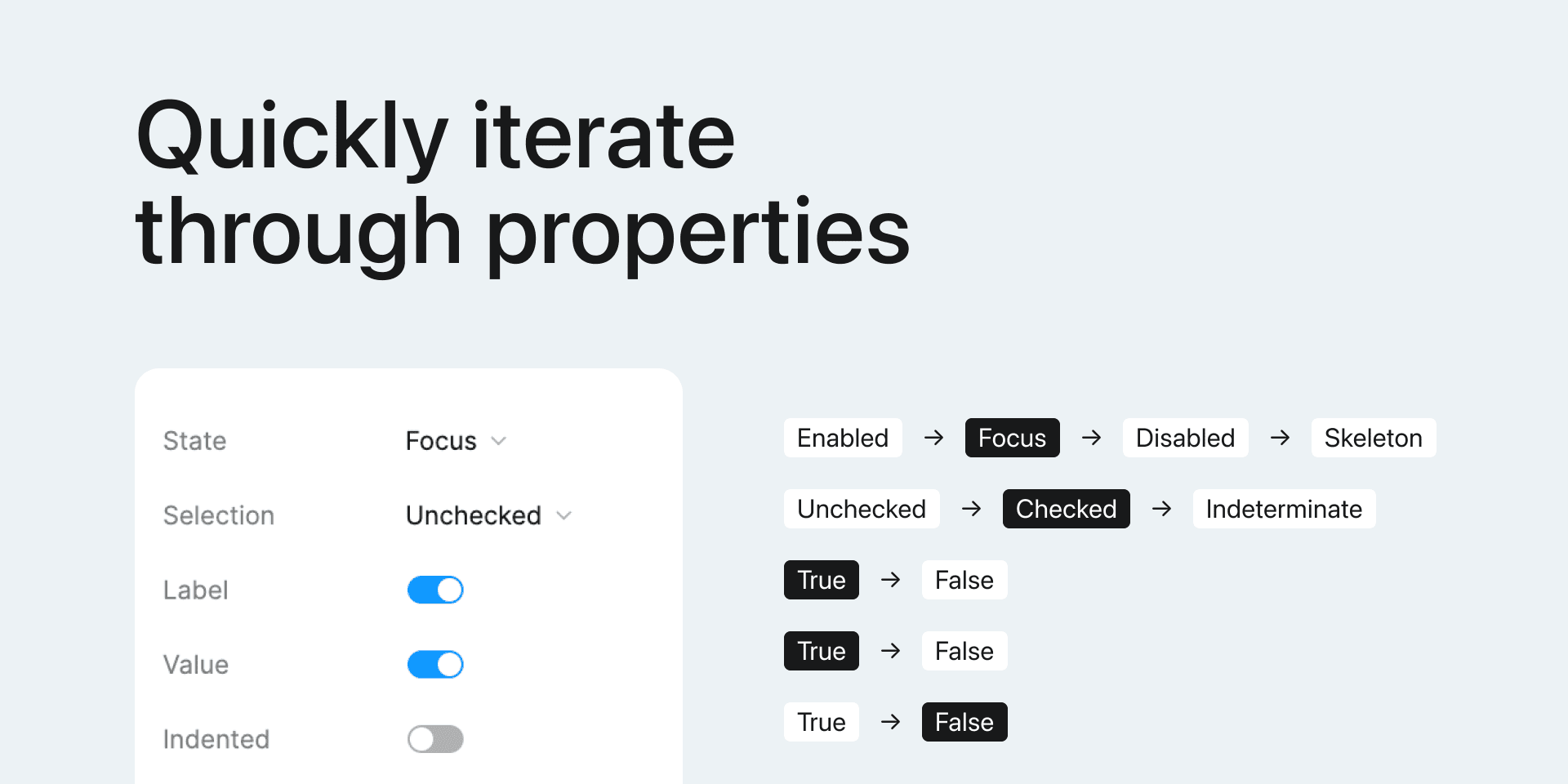
Properties shortcuts allows you to step through every possible variant of an instance. It also allows you to step through a single property of an instance. For example if you have a button you can step through the state property using a keyboard shortcut.
Swap Variants
Sometimes a component set has a lot of different properties and it can be easier to pick the option you're looking for visually rather than adjusting a number of different parameters. This plugin presents all the variants in the set with search to filter.
View Overrides
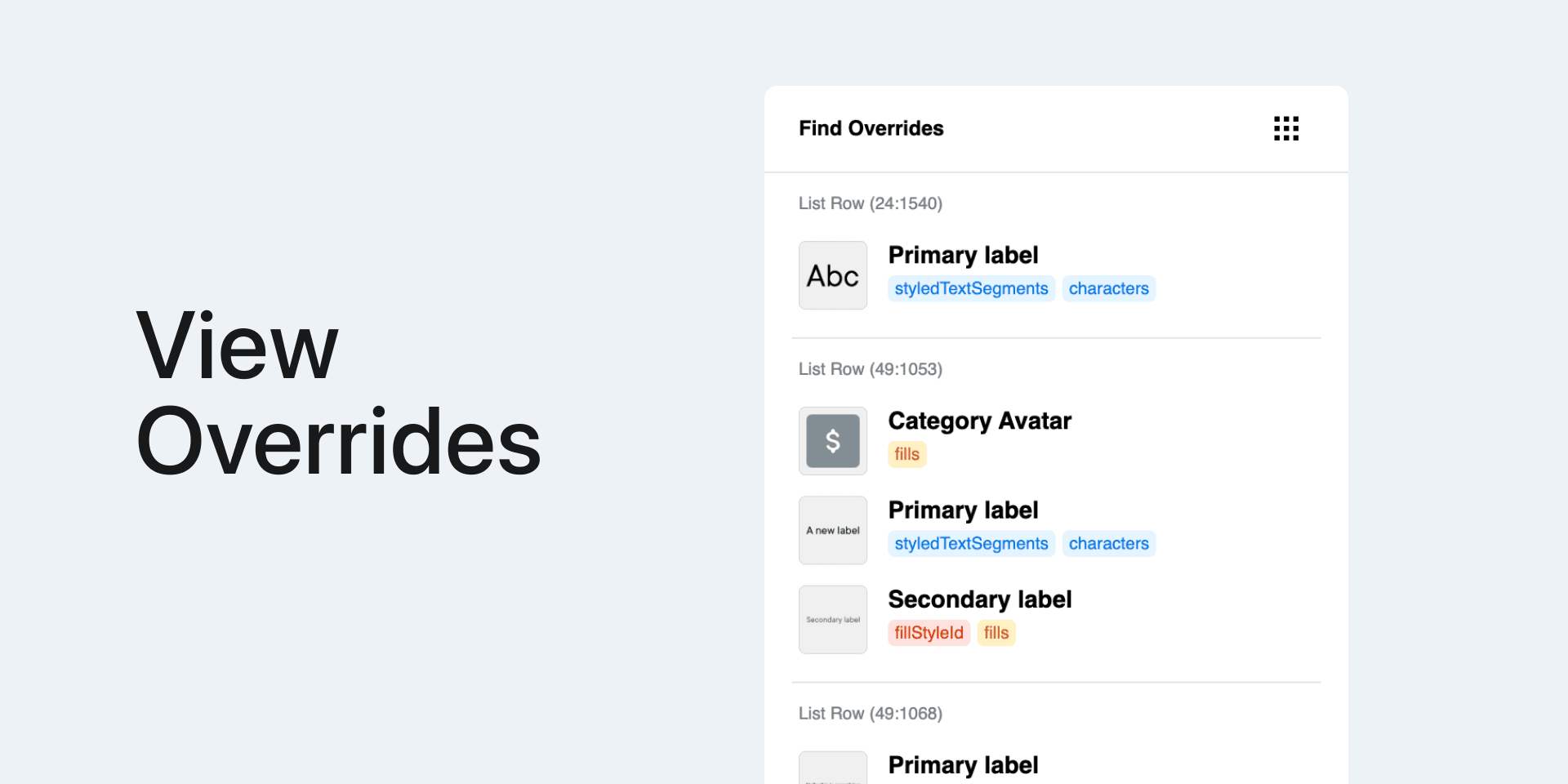
View Overrides is somewhat of a niche plugin. Since Figma doesn't make it very clear what has been overridden in a component, there can easily be situations where a colour is overridden with the exact same colour and you wouldn't be any the wiser. This plugin will show you all the overrides in your current selection.
Scale Each
Simple plugin that scales each element in a selection independently. Nothing fancy, just another simple feature Figma doesn't currently support.
Auto Layout Fixer
This is a linter in a sense. During a font migration we needed to ensure we were using everywhere possible so I built this plugin for the team to use to find and fix frames without auto layout.
Text Style Fixer
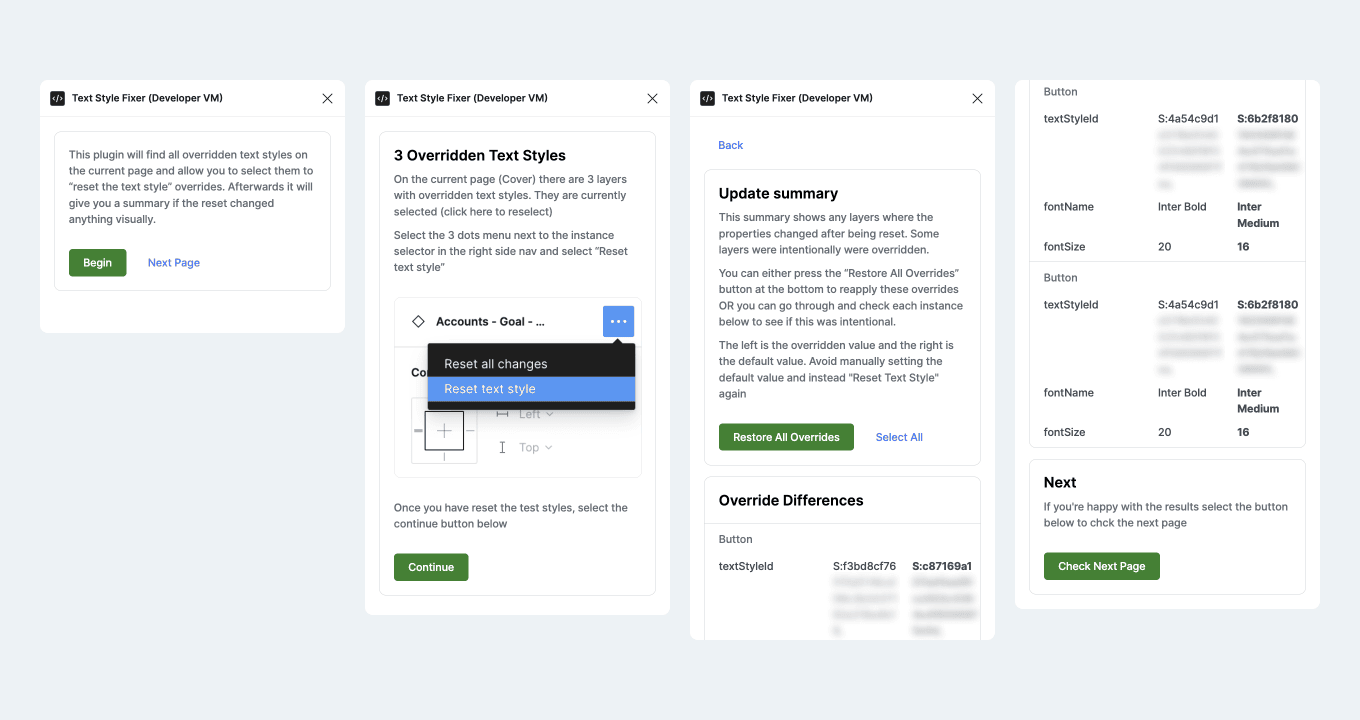
This is another overly involved plugin to lint designs. The goal was to identify text layers that have an overridden text style that matches the default style, effectively resetting it leaves the text style unchanged. The implementation is quite complex because you need to use the Figma "reset text style" UI and then the plugin gives you a before/after comparison to confirm. This was an attempt at a guided experience for designers.
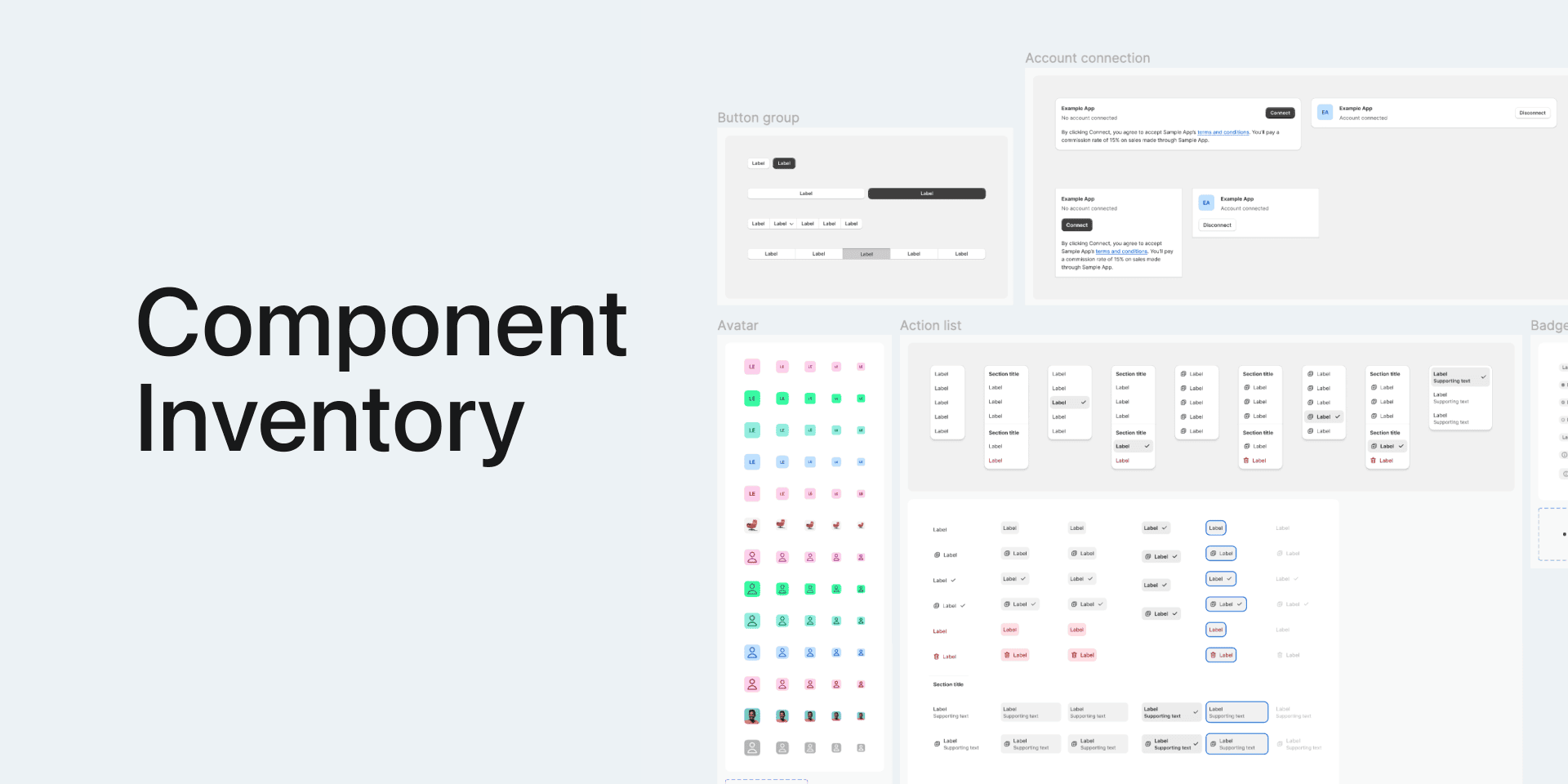
Component Inventory
This is really handy plugin if you have a design system where components live on separate pages. Often it's helpful to have an overview of all the components in the library and that's exactly what this plugin does: Creates an instance of every component on a single "Inventory" page. There's also some hidden functionality that allows you to ignore components with certain characters (or emojis) in the name.
Instance Inventory
Allows searching of every instance in a document. A common scenario is trying to locate instance usage, using the built in figma library tools you can locate a file where an instance is, but not instances themselves.
This plugin has quite a lot of functionality, you can search by specific pages, filter results, view snapshots of the instances in use
Background Apply All
Sometimes a plugin is as silly as a single line of code to achieve something that cannot be done natively. In this case, since colour styles and variables can't be applied to the page background, there's no easy way to update every background simultaneously. This one-line plugin does just that: applies the current background to every other page.
Variable Tools
Allows you to change multiple variables scopes simultaneously. The current Figma UX for changing variable scopes is not super good to update multiple variables since you need to go into each variable and update it individually. This plugin provides an interface for updating multiple variables. It also implements some pretty useful multiselect tools.
Nested Instances
Nested instances is a tool that lets you find all instances within a selection. The problem I was trying to solve here is when you're working with exposed instances you lose the ability to modify them if you select multiple parent instances. This allows you to select all similar nested instances quite easily.
Select Similar
While building the nested instances plugin I had an alternative idea to dynamically select similar layers based on your current selection while the plugin is open. This ended up being quite intuitive by allowing you to choose the scope (page, frame, or siblings) and allowing you to enabled/disable it. This could probably be combined with the Nested instances plugin.
Scripts
For more involved tasks I would build plugins, but for general small things a script here and there would do the job.
For example updating a number of selected components' descriptions can be achieved easily:
figma.currentPage.selection.map(component => {
  component.description = `🔴 ${component.description}`
})